Article Overview
Enterprise teams report they spend up to 30 hours of preparation time to coordinate, assemble, and format presentation decks for each operational review, such as Monthly Business Reviews (MBRs) or Quarterly Business Reviews (QBRs). The majority of this preparation goes into creating a scorecard – the “metrics-on-a-page” slide that contains a table of the most pertinent operational metrics, with commentary on the go-forward plan.
Reviews are then often spent debating the integrity of the manually compiled data, rather than making progress on the organization’s strategy and Objectives and Key Results (OKRs).
With WorkBoard Scorecards, you can display your team’s OKR progress on a single page, drive focused discussion on progress to plan & path forward, and shift focus to where it’s needed most.
Scorecards help you drastically reduce the time and costs spent in preparation, and ensure data integrity by connecting directly to the source: your OKRs right in WorkBoard.
“This is incredible. I have a monthly report in Excel that I use to show my leader progress. This will be able to replace that completely and save me loads of time for checking on status, updates, etc.”— Neil Sanderson, VP, Strategy & Business Operations, Data & Analytics at Thomson Reuters
WorkBoard Scorecards Digitize and Simplify Operational Reviews
A WorkBoard Scorecard is different from a presentation deck – it's a dynamic data table that helps you easily tell your data story your way, complete with live actuals.
.png)
Scorecards are dynamic and easy to create
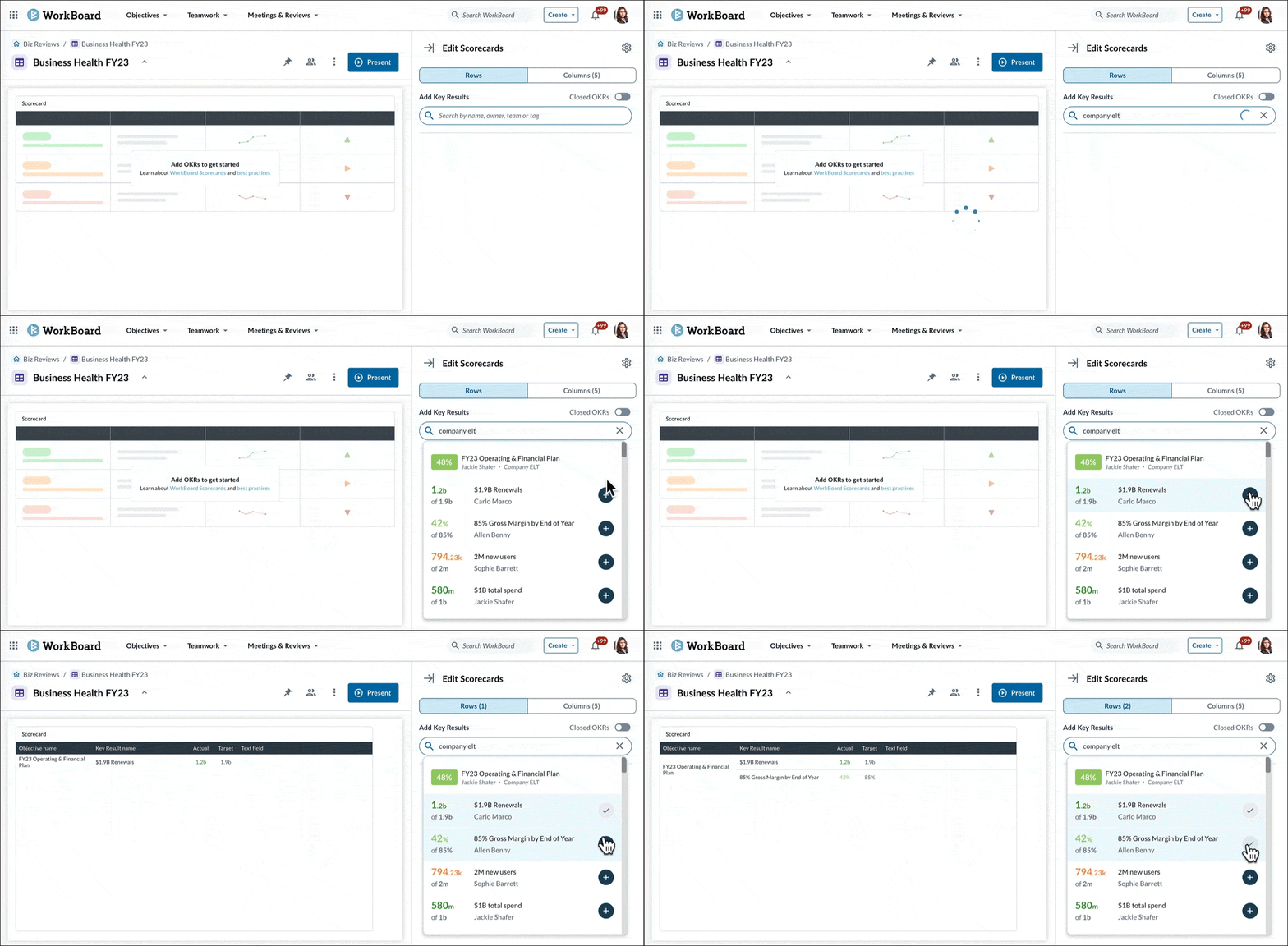
In WorkBoard, you can start building your scorecard with just a few clicks. Select and add existing Key Results that are most important to your story. Since this data already lives in a single source of truth, it dynamically updates and always reflects the latest on your most critical metrics.
Scorecards are completely customizable and relevant to your story
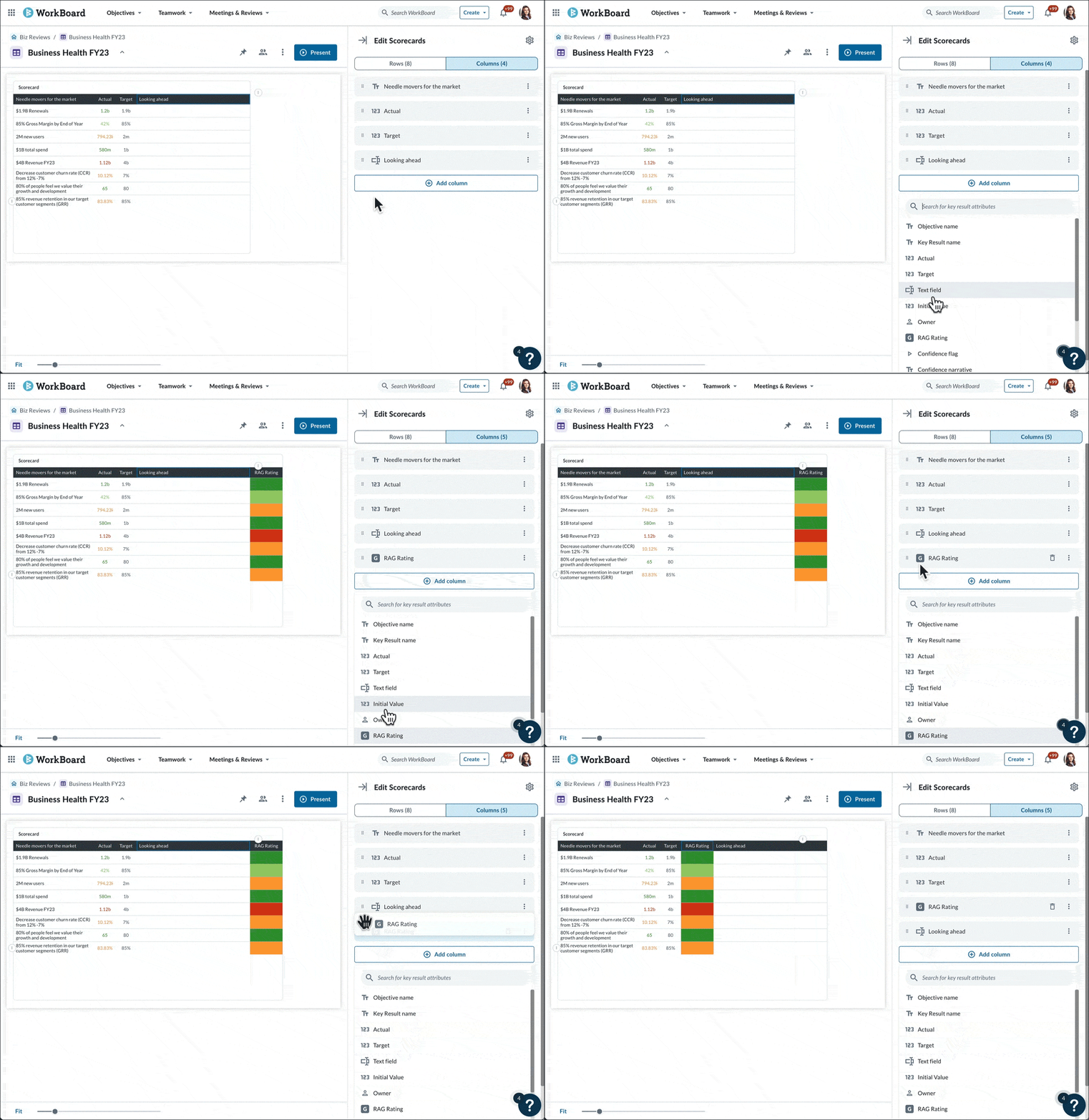
You can add any WorkBoard metric to your scorecard, and select the specific attributes that matter to your organization. Add your narrative alongside your metrics to add supporting context to your story.
Further customize your columns by adding the Objective and Key Result fields you want. You can also reorder and edit any field, like:
- Numerical Data: Including Key Result Actual, Target, and Initial Values
- Contextual Data: Including Last Comment, RAG Rating, Last Update Date
- Forecast Data: Including Confidence Rating and Confidence Narrative
…And many more fields!
Scorecards are formattable, brand aligned, and presentation ready
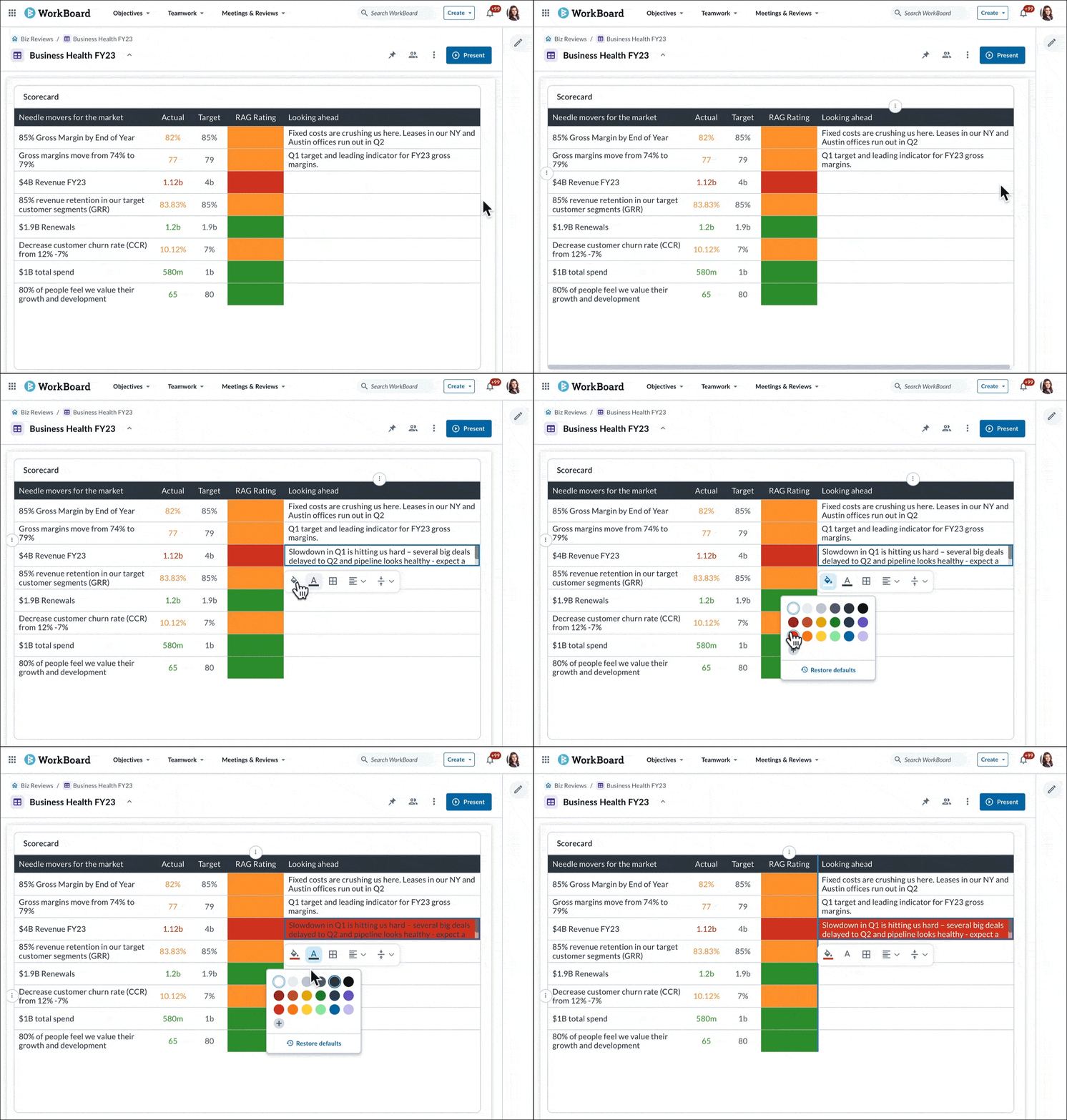
After you’ve compiled the content of your choice, it’s easy to format the look and feel of your scorecard. Inline text editing, color options, and imagery align to your brand for a pixel-perfect slide ready for your next executive review.
- Add inline text comments with a Free Text Field
- Customize the look and location of Rows, Columns, and the entire scorecard with just a few clicks
- Highlight key metrics with individual cell rich formatting features
75.8% of surveyed WorkBoard users believe scorecards will help them run smarter, more efficient reviews.Source: January 2023 WorkBoard Community Call Scorecard Survey
Automated Scorecards with 20+ Filters
High-quality scorecards are essential to great management and leadership discipline, yet many teams still spend hours gathering data, copying charts, or reconciling conflicting numbers. WorkBoard removes that overhead with automated Scorecards that update continuously and give leaders objective, real-time visibility into what matters.
With more than 20 filters, leaders can quickly view progress by team, outcome, confidence level, velocity, risk, function, strategic pillar, and more. This makes it far easier to see where execution is healthy, where attention is needed, and how work aligns to the outcomes the organization expects this quarter. Automated Scorecards ensure the conversation always starts from facts, not anecdotes, enabling cleaner accountability, better decisions, and faster alignment across the organization.
Create a Scorecard Instantly with Your AI Agent
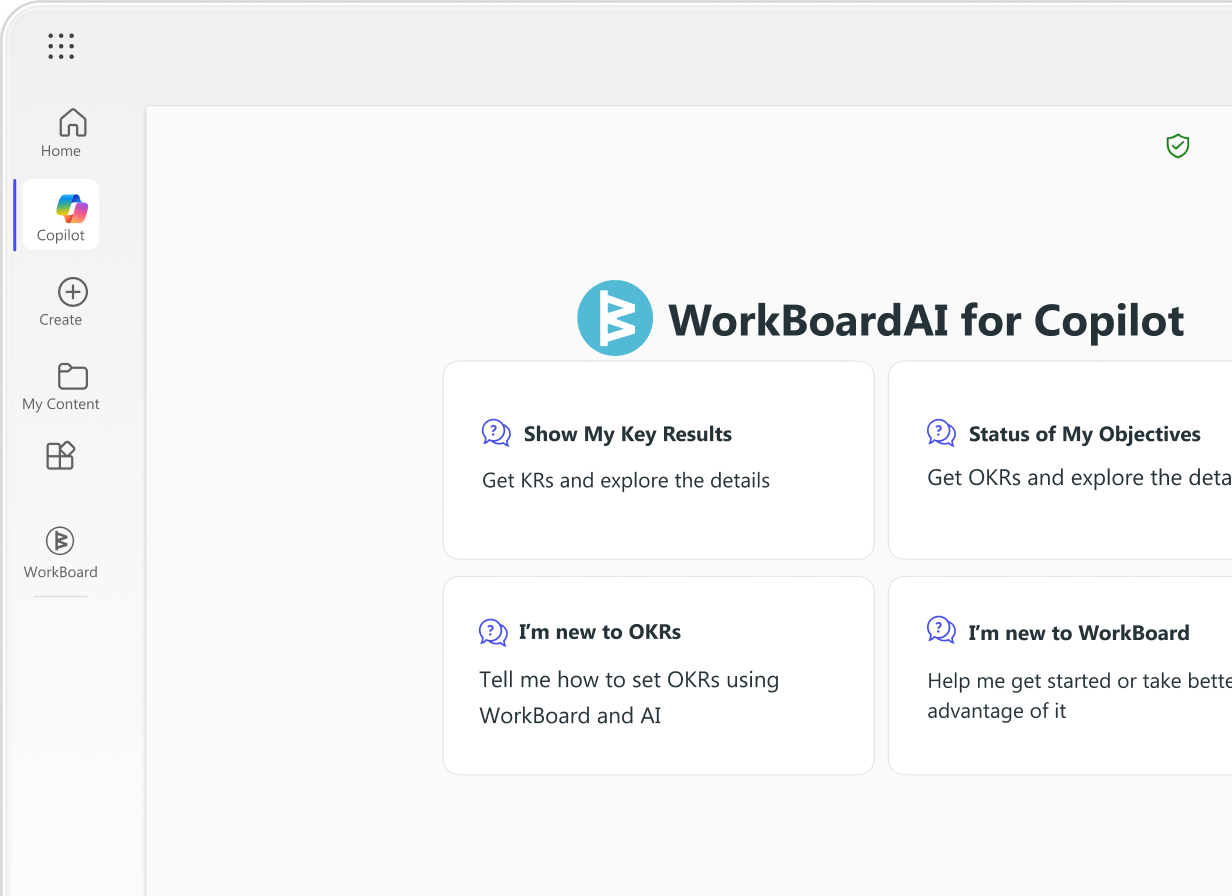
WorkBoardAI now makes it even easier to operationalize leadership discipline. Instead of manually building a Scorecard, leaders can ask their AI Agent to generate one instantly.
Simply describe what you want — for example:
“Create a scorecard for Q2 OKRs focused on outcomes at risk and teams below forecast.”
Within seconds, the AI Agent assembles the right metrics, adds the relevant OKRs and KRs, applies the appropriate filters, and produces a complete Scorecard you can use in business reviews, team meetings, or leadership rhythms. You can refine it by asking for additional cuts of the data, alternate visual formats, or deeper detail on specific outcomes.
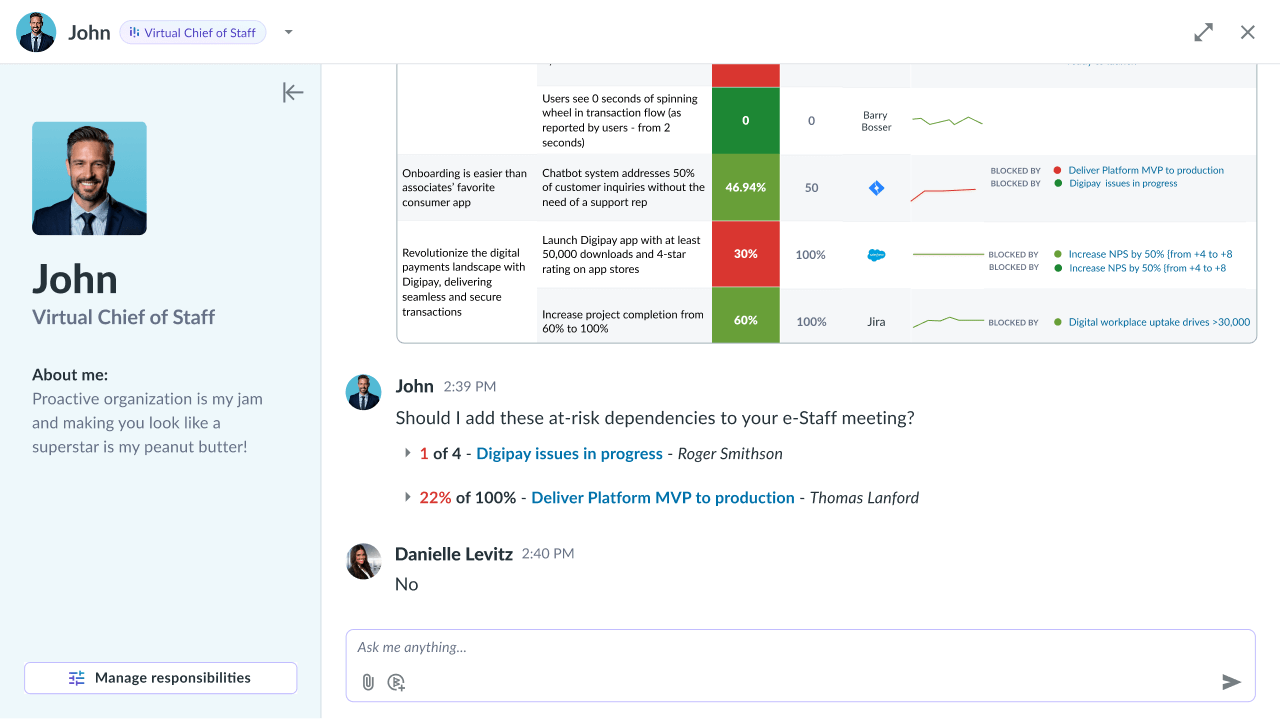
This enables managers to spend less time building decks and more time leading the conversation. The AI Agent turns administrative effort into strategic leverage so leaders can focus on the insights that move the business forward.
Get started with WorkBoardAI Scorecards
In a January 2023 WorkBoard user survey, 75.8% of respondents reported that they believe WorkBoard Scorecards will help them run smarter, more efficient reviews.
Ready to give it a try? Let us show you how WorkBoard can help you pull together your results dashboards and scorecards in just a few clicks for the most seamless MBR and QBR experience.